Friday, May 27, 2011
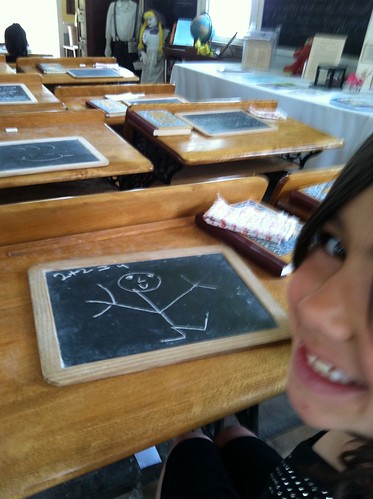
"I don't teach old school" with Flickit.
Testing the Flickit app. I like it! This is a great way to post directly to the cloud from your phone.


Wednesday, May 25, 2011
Air Camera / Drop Box- My review on a couple of free Smart Phone Apps. for file transfers from phone to cloud to computer


Well, besides the fact that this is a great (free) way to back up your pics. when you are on the go, why would you want to do it?
Simply put, for those photographers, digital artists, teachers, or parents (like me), you can really get creative with it! And I love anything that sparks creativity. How about for those photo of the day projects? Or for those time-lapse projects that take a really long period of time? (like photographing your child's face once a day. (See also the Everyday app., another one I love) How about the tree in front of your house? How about as a way to document student progress? You could take a photo of their drawings or writing as they learn and develop. For anyone interested in science, here's a great way to document your experiments. There are lots of possibilities. (For more info. on ideas on time lapse, see this video tutorial I made.)
Air Camera allows you to make separate folders for each of your projects that are safely stored, and easily organized.

Still don't like this free app.? And yes, it's still not perfect, so my favorite alternative is the Dropbox app., although the storage is more limited. No filters in Dropbox, but with that app. you can also transfer videos or audio files from your phone to Dropbox in the cloud, and then back to your computer without syncing. It is also a great way to share files with others as well.
If you know of any other better ways to tranfer media from phone to cloud to computer, please share.
Monday, May 2, 2011
Photosynth - an incredible panoramic photography app. for your iPhone or PC

Sunday, April 10, 2011
Tuesday, March 22, 2011
Location-Based Digital Storytelling
Being that I have a huge interest in this topic, I have done a lot of research on it. Here's a website I have put together that I am using for my ed. tech trainings. It's everything you would want to know and more.


Thursday, December 23, 2010
Digital Storytelling
For me, digital storytelling means empowerment. I believe that no matter who you are, and how old you are, each person has something to teach us, so digital storytelling is a great project for anyone. There are lots of great resources out there to learn about digital storytelling, and there are lots of ways you can do this cheaply and easily. (See my links at the top of my blog.) As an elementary school teacher, I'm also interested in how we can make this easy for even younger children to do. I have found that it is best to give them a prompt to get them going, and to keep it short and sweet. Another idea is to have each student contribute only one photo, and do one voice over for a group or class project.
Here's an ideas of how you can use digital art instead of photos for the visuals. This short student sample from a third grader was the story about a real dream he had the night before. With a little "imagination" he was able to escape danger and unfortunate events by transforming his canoe whenever it was needed.
Using only his finger and a free app. called "Doodle Buddy," he painted his story on the iPad. His voice overs were then added using iMovie.
Tweet
Monday, December 20, 2010
Photoshop for Kids: Scratch Art
Here's a fun tutorial to do with your kids that's both easy and fun! This won the award for the best resource submitted at the Adobe Education Exchange, my new favorite "hangout" spot to "meet" like-minded, creative educators. I'm learning new tricks with Adobe software and thinking in a whole new way. Enjoy! Also, if you create any student samples, please send them my way, and I'll be sure to post them.
Scratch Art: Photoshop for Kids of All Ages from magrelacanela (Nicole) on Vimeo.
This is a fun tutorial for beginners, kids, or anyone teaching kids who likes scratch art. The possibilities are endless. Enjoy!
Subscribe to:
Posts (Atom)





 Posts
Posts

