Click on the slideshow to view the captions/descriptions. Enjoy!
Tweet
Thursday, May 13, 2010


Wednesday, April 28, 2010
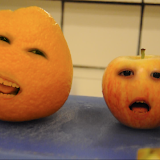
Make Your Own "Annoying Orange" Video in Photoshop
 |
| annoying orange pictures |
Make Your Own Annoying Orange Video in Photoshop from Nicole Dalesio (magrelacanela) on Vimeo.
Here you can download a copy of the tutorial on your iPhone:
Annoying Orange PS Tutorial-iPhone.m4v Tweet
Wednesday, April 14, 2010
Video Art in Photoshop: Using Filters on Video Clips
Video Art in Photoshop: Adding Photoshop Filters to Video from Nicole Dalesio (magrelacanela) on Vimeo.
Here's a short tutorial on how to edit video clips using Photoshop using Photoshop CS3 Extended. Enjoy! Feedback is welcome. Thanks for watching.
Wednesday, April 7, 2010
Sumo Paint Kaleidescope Sample/Tutorial
Sumo Paint Kaleidescope Sample/Tutorial from Nicole Dalesio (magrelacanela) on Vimeo.
I used a filter in the free online photo-editing program called Sumo Paint. With the click of a button, I could make new Kaleidescopes. I used "ScreenToaster" a free online screencasting service to record what I made.
www.sumopaint.com
www.screentoaster.com
Tuesday, April 6, 2010
Export a Flash animation with a transparent background.
Export animations from Flash with transparent backgrounds! I'm sure there are various reasons why you would want to do this, but I have been thinking that it would be useful so I can mix them with my videos. You can also import video into Flash, but there are things that are easier and better to do in Flash, while there are things that are simpler and easier to do in your favorite video editing software. Even if you are using basic software like iMovie, you can layer your Flash animation with a transparent background on top for fun videos that have animation interacting with your video. Here I created a quick animation in Flash. I'm still learning Flash, and still working on my drawing skills, but you can get the idea. I then provide a sample of what you can it might look like if you put it on top of video. The possibilities are endless. Check out the directions at the bottom of the post.
Wednesday, March 3, 2010
A free font by me: Walk Around the Block
Typography is the backbone of graphic arts, and although I have had no formal training in typography, I am fascinated by it. I even have my own font that I created which is free to download on your computer through "Dafont." This is also a favorite website of mine, and a link posted in the favorite website/resources are at the top of the blog. There are thousands of beautiful fonts there, all available for free. In order to make my font, I did not use any special software, which would have resulted in a more professional quality. Nevertheless, I found that I had quite good results by being a little inventive, and a small price. Instead, I used a site, www.fontifier.com For $9, you can create a font using your very own handwriting using this site. (I even did one with my daughter's handwriting when she was learning to write her letters.) You are able to download a template, and after you create your letters, scan it in and send it back to the site. To make my font, I enlarged the template where I could create nice details, then downsized it again, and sent it. It worked. The font has been available on Dafont for almost two years, and has had over 185,000 downloads. I'm amazed!
http://www.dafont.com/nicole-dalesio.d1718
Tuesday, March 2, 2010
Schwup for easy video editing

Here's another example of a slick/quick slideshow I made using Schwup.
Subscribe to:
Posts (Atom)





 Posts
Posts

